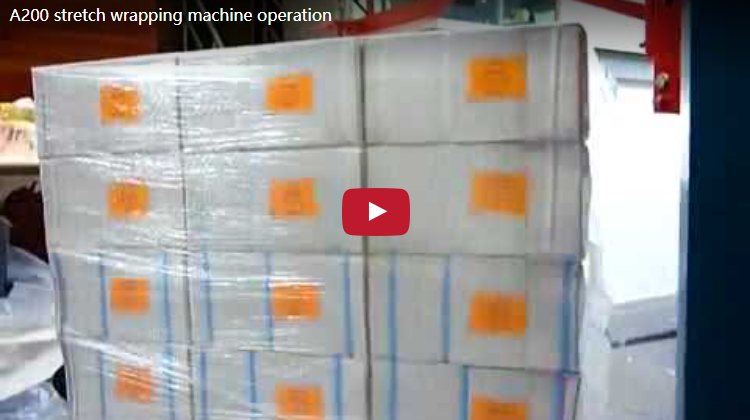
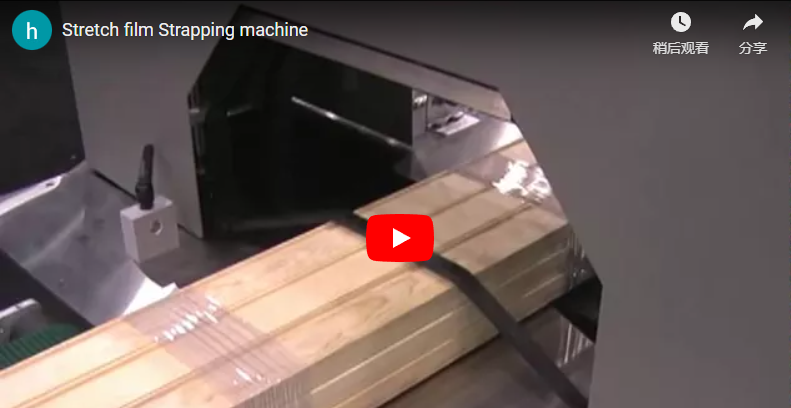
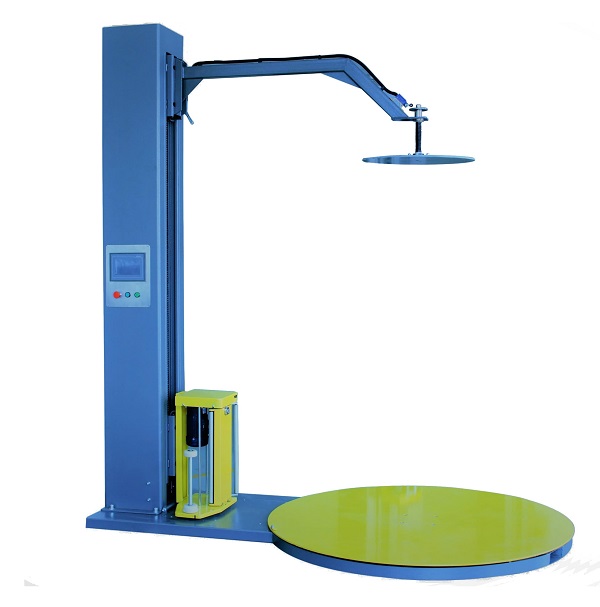
Executive summary Our A200 is a semi-automatic turntable pallet stretch wrapper, shown here with the optional top press holding the load during wrapping. It wraps loads up to 1800 mm high and 1500 × 1500 mm with the larger turntable option (about 1414 mm square on the standard 2000 mm turning circle), at 20–40 loads per hour on 220 V single-phase with 250% film pre-stretch. This guide covers the packing steps, the diagonal sizing rule, film setup, cycle time and a commissioning checklist.
Table of Contents
- Packing process
- Top press
- Specifications
- Load sizing
- Film selection
- Cycle time
- Installation and safety
- Commissioning checklist
- Engineering FAQ
- Next step
- Related reading
- Sources
The A200 packing process, step by step
Our video runs 235 s and follows one carton load from film tie-on to the finished wrap. Each step below adds the setting behind it:
- 0–48 s, film tie-on and setup. The film tail is tied to the pallet base by hand, then the operator opens the configuration menu on the PLC panel. Starting the wrap at the pallet ties the load to its base, not just to itself.
- 60–72 s, Auto mode. The operator selects Auto in the work-mode menu. From 72 s the display runs the Auto program, which includes the top press up and down step, so the press is part of the programmed cycle rather than a separate manual job. Top, middle and bottom wrap counts are independent, each settable from 0 to 99.
- 96–192 s, wrap cycle. The turntable rotates while the film carriage travels the mast. A photocell finds the load top, so the carriage reverses at the real load height. The operator makes one film adjustment during the cycle.
- 192–235 s, final layers. The machine lays the final layers and ends the cycle, then the film is cut and the load is removed.
When the top press is worth adding
The top press is an option on our A200. It fixes the load from the top, holds it in place on the turntable while the machine wraps, and keeps the operator’s hands away from a load that could shift. We fit it on three load types:
- Light or loose top layers such as cartons or chairs, which rotation and film tension can lift or twist.
- Tall, narrow stacks whose top layer moves before the film reaches it.
- Cans and stacked small units that slide on each other under film tension.
Our top press device, standard on the A600 and optional on the A200, is driven by a motor or by a pneumatic cylinder. The platen comes in different shapes to match the load top. Heavy, stable loads usually wrap without it.
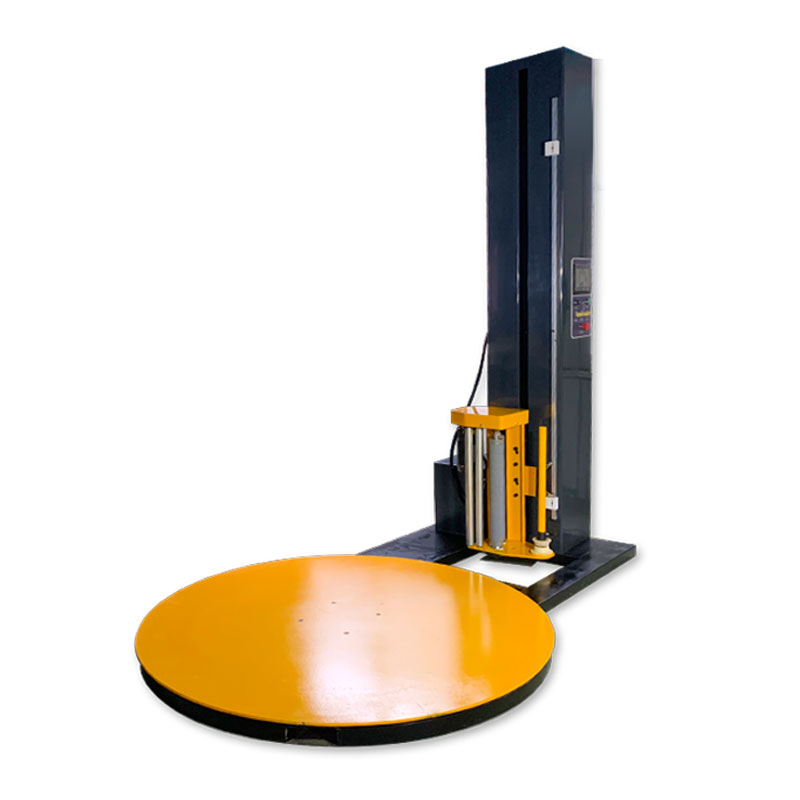
A200 specifications
These values come from our A200 specification table:
| Parameter | A200 value |
|---|---|
| Max load size (L × W) | 1500 × 1500 mm with the larger turntable option; standard turning circle 2000 mm |
| Min load size (L × W × H) | 500 × 500 × 500 mm |
| Max load height | 1800 mm |
| Max load weight | 2000 kg |
| Turntable speed | 13 r/min, adjustable by inverter |
| Max turning diameter | 2000 mm |
| Packing efficiency | 20–40 loads/hour |
| Machine data | A200 value |
|---|---|
| Power supply | 220 V, 1 Ph, 50 Hz standard (voltage adjustable) |
| Machine weight | 650 kg |
| Handling | Forklift pockets front and rear |
| Control | PLC, separate buttons and display |
| Turntable | Ring-gear bearing, 10 mm plate, soft start and stop |
| Options | Top press, pre-stretch, access ramp; extended height and larger turntable on request |
Load sizing: check the diagonal, not the side
The limit that matters on a turntable is the turning circle. The A200 turns loads up to a 2000 mm diagonal, so the load diagonal must stay at or below 2000 mm:
- Diagonal = √(L² + W²). A 1200 × 1000 mm load has a 1562 mm diagonal and fits with margin.
- A 1200 × 1200 mm load has a 1697 mm diagonal and also fits.
- The largest square load that turns inside 2000 mm is about 1414 × 1414 mm.
- A full 1500 × 1500 mm load has a 2121 mm diagonal. It needs the larger turntable option.
Include overhang in L and W. Cartons that stick out past the pallet edge set the real diagonal.
Pallet stretch film and pre-stretch setup
The A200 film carriage is built around one film format. Match the roll to it:
| Film parameter | A200 value |
|---|---|
| Film type | LLDPE stretch film |
| Thickness | 0.025 mm (25 µm) |
| Width | 500 mm |
| Core ID | 76 mm |
| Roll OD | 150–250 mm |
| Roll length / weight | 500–1500 m, about 15 kg per roll |
| Pre-stretch | 250% standard, 100–300% optional |
Pre-stretch sets film cost per load. At 250%, each metre leaving the roll becomes 3.5 m on the load, so a 1500 m roll covers about 5250 m. Our JL-A200 page lists a 60–250% pre-stretch range for that variant.
Selection rules we apply:
- Stable, square loads: run the standard 250% and set film tension electronically for holding force.
- Soft or crushable cartons: lower the pre-stretch level and tension, and add top wraps instead of force.
- Light top layers: use the top press rather than more tension; extra tension crushes corners.
Wrap program and pallet wrapping cycle time
The A200 is rated at 20–40 loads per hour, which is 90–180 s per load. Use this method to place your load inside that range:
- Turntable revolution: at 13 r/min, one revolution takes about 4.6 s.
- Carriage pass: revolutions per pass = load height ÷ film advance per revolution. With 500 mm film at 50% overlap, the advance is 250 mm.
- Fixed wraps: add the bottom and top wrap counts from the program.
Worked example: an 1800 mm load needs 7.2 revolutions per pass. With two bottom and two top wraps, one up-pass totals 11.2 revolutions, about 52 s. An up-and-down cycle totals 18.4 revolutions, about 85 s. Loading, film tie-on and cutting then bring the load into the 90–180 s rated range.
Pre-stretch narrows the film. The commissioning trial on your load fixes the final carriage speed and overlap.
Installation, power and safety
The A200 is a forklift-portable unit, so installation is a placement job rather than a civil job:
- Power: 220 V single-phase, 50 Hz standard. Other voltages are set at order.
- Handling: 650 kg machine weight, forklift pockets front and rear.
- Loading: forklift onto the turntable, or pallet truck with the optional access ramp.
- Extended height: for taller loads we customise the A200 machine height, with pre-stretch, up to 3000 mm.
Safety features fitted as standard:
- Red mushroom-head emergency stop and a lockable electrical disconnect.
- Turntable soft start and stop, so loads do not shift on start-up.
- Film-loading safety shut-off that cuts power while the operator loads film, plus a locking door on the carriage.
The applicable standards depend on the destination market. For CE markets, EN 415-6 covers stretch film pallet wrapping machines and ISO 12100 sets the risk-assessment method.
Commissioning checklist
Work through these items with our engineers before shipment:
- Load program: largest L × W including overhang, height, weight, and the diagonal against 2000 mm.
- Load stability: which loads need the top press, and motor or pneumatic drive.
- Compressed air: a supply point at the machine if you choose the pneumatic top press drive.
- Film: roll width 500 mm on a 76 mm core, thickness, and the pre-stretch level.
- Wrap program: bottom, middle and top counts, overlap, and re-wrap settings per load type.
- Throughput: loads per hour against the 90–180 s rated cycle.
- Site: 220 V single-phase supply, forklift access front or rear, and whether an access ramp is needed.
Engineering FAQ
Q: Can the A200 wrap a 1500 × 1500 mm load? A: Only with the larger turntable option. A 1500 × 1500 mm load has a 2121 mm diagonal, above the 2000 mm turning diameter. Square loads up to about 1414 mm per side turn on the standard machine.
Q: Does the A200 need three-phase power? A: No. The standard supply is 220 V single-phase at 50 Hz. Other voltages are set when the machine is ordered.
Q: How much load weight can the turntable take? A: The A200 specification table rates loads up to 2000 kg. Plan against the heaviest load including the pallet, and keep the load centred on the turntable.
Q: When does a load need the top press? A: When the top layer can move under rotation or film tension. Light cartons, chairs, cans and tall narrow stacks are the typical cases. The press holds the load in place from the top and is driven by a motor or a pneumatic cylinder.
Q: How many loads per hour can one operator wrap? A: The A200 is rated at 20–40 loads per hour. Use the cycle-time method above: an 1800 mm load with two top and two bottom wraps needs about 85 s of wrapping per up-and-down cycle.
Next step
Get an A200 configuration for your loads:
- Submit your layout drawing with load sizes (L × W × H), weights and daily volume to info@fhopepack.com.
- Receive a machine proposal within 48 hours, with turntable size, top press drive, film setup and a cycle-time check.
- Book a site survey to confirm power, forklift access and the loading method.
Related reading
- Pallet stretch wrapping machine A200
- Pallet stretch wrapping machine JL-A200
- A600 pallet stretch wrapper with top press device
- Semi-auto pallet wrapping machines
- Video: A200 stretch wrapping machine operation
- Video: stretch wrapping machine with top press fixture
Sources
- Load size, weight, speed, turning diameter, power, film, pre-stretch, controls, options, safety: A200 product page
- Extended machine height on the A200: FHOPE internal engineering data
- JL-A200 pre-stretch 60–250%: JL-A200 product page
- Top press function, motor or pneumatic drive, platen shapes: A600 product page
- Packing steps and timestamps: our A200 video on YouTube, 235 s, description “Pallet wrapper with top press down”
- Standards scope: EN 415-6:2013, ISO 12100:2010
Last reviewed: 2026-10-03