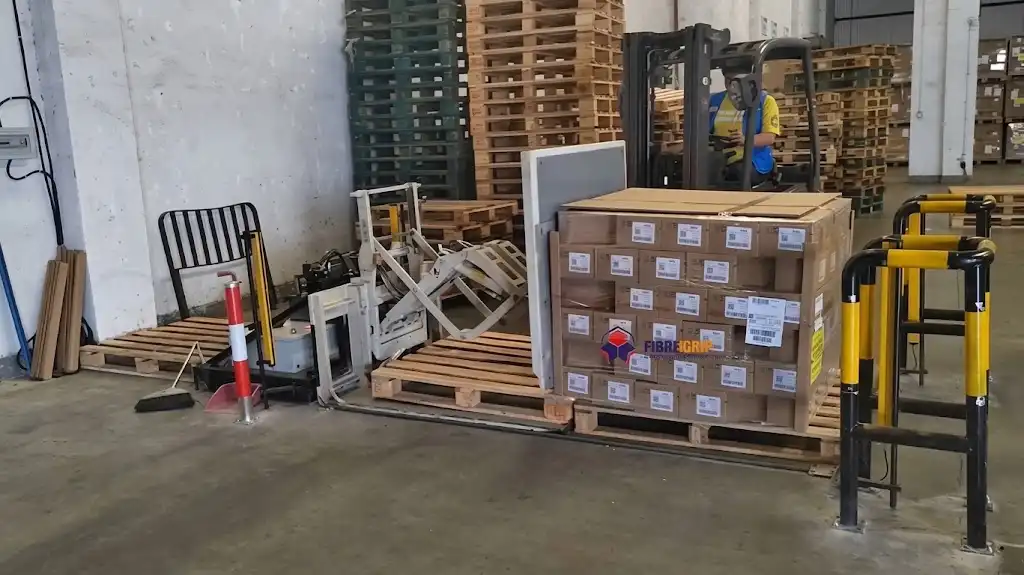
Integrating automated strapping, stretch wrapping, and robotic palletizing into a unified packaging operation frequently reveals a common physical bottleneck: pallet load orientation. Downstream processing equipment often accepts pallets in only one orientation (e.g., across the 1,200 mm width rather than the 800 mm length to allow strapping lance penetration or turn-table centering). When a packaging line relies on manual counterbalanced forklifts or hand-pallet trucks to rotate or shift pallet loads between conveying lines, it reintroduces labor costs, spatial congestion, and unpredictable transfer latency into an otherwise automated facility.
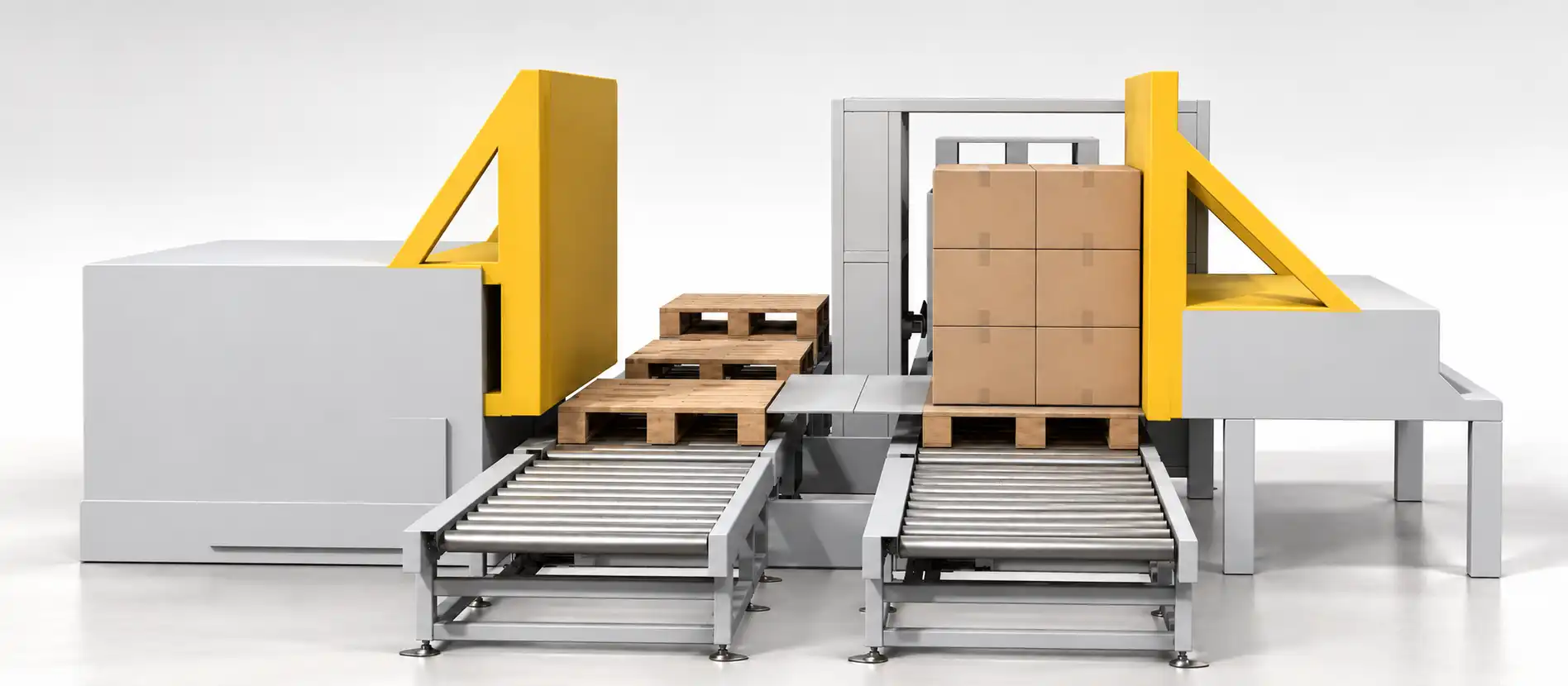
An inline push-type pallet reorientation cell resolves this operational deficit. By coordinating a high-thrust lateral pusher, a precision-guided transfer carriage, and a heavy-duty 90° powered roller turntable within an enclosed safety envelope, the cell transitions full pallet loads automatically without operator intervention.
Operational Boundary Clarification: This machine is an automated pallet reorientation and transfer shifting station, engineered to change the heading and conveyor axis of the load and pallet as an integral assembly. It is not a pallet exchange unit (pallet inverter or load transfer station); it does not strip, separate, or swap the slave pallet under the goods. If your plant requires wooden-to-plastic hygiene pallet exchange, an upstream or downstream clamp-type pallet inverter must be integrated.
Executive Summary
A push-type pallet reorientation cell eliminates forklift dependency by automatically transferring and rotating palletized loads 90 degrees between conveyor lines. The cell integrates a rigid guided pusher carriage, a moving intermediate platform, and an electric-driven turntable. Sized for lines requiring continuous throughput up to 75 pallets per hour, the system uses controlled servo/VFD S-curve acceleration profiles to transfer tall, unstrapped, or corrugated carton stacks up to 1,500 kg without toppling, load skewing, or footprint displacement.
1. Kinematic Architecture: How the Push Transfer Sequence Operates
The inline reorientation cell operates through three synchronized electromechanical sub-assemblies arranged across the conveyor transfer node:
[Upstream Infeed Conveyor]
          │
          ▼  (Load Enters Transfer Bay)
┌───────────────────────────────────────────────┐
│ Unit 1: Heavy-Duty Linear Pusher              │
│ (Rigid backrest pushes pallet + carton load)  │
└───────────────────────┬───────────────────────┘
                        │ Lateral Displacement (Stroke: 1,400 mm)
                        ▼
┌───────────────────────────────────────────────┐
│ Unit 2: Precision Moving Transfer Carriage    │
│ (Dual linear guide rails maintain stack form) │
└───────────────────────┬───────────────────────┘
                        │ Longitudinal Feed
                        ▼
┌───────────────────────────────────────────────┐
│ Unit 3: Powered 90° Roller Turntable          │
│ (Slew-bearing ring rotates load 90 deg)       │
└───────────────────────┬───────────────────────┘
                        │
                        ▼  (Aligned Load Discharged)
[Downstream Outfeed Conveyor / Strapping Station]
Unit 1: The Heavy-Duty Linear Pusher
The entry pusher consists of a floor-anchored portal frame housing a heavy structural steel faceplate driven by a brake motor with rack-and-pinion or dual-strand chain drive. Unlike pushers that contact only the wooden pallet base—which risks shearing the bottom carton tier off the pallet due to carton-to-wood slip—this unit features a tall, vertical reaction backrest.
-
Critical Acceleration Threshold: To prevent load shifting or column toppling of free-stacked corrugated cartons, the maximum permissible push acceleration is governed by the stack’s base-to-height aspect ratio:
a_crit ≤ g × [B / (2 × H)]Where:
g= gravitational acceleration (9.81 m/s²)B= pallet dimension parallel to push direction (m)H= total center-of-gravity height above conveyor plane (m)
-
Motion Profile: Controlled via a Variable Frequency Drive (VFD) or servo drive operating on an S-curve ramp. Peak forward push velocity reaches
0.25 m/s, with acceleration capped at0.35 m/s²to protect loose-stacked goods. The return stroke accelerates to0.50 m/sto minimize non-productive return latency.
Unit 2: The Moving Transfer Carriage
Once the pusher displaces the pallet clear of the infeed line, the pallet rests upon an intermediate powered transfer bridge. This structural carriage bridges the mechanical clearance gap between the main line and the turning station.
- Stack Integrity Preservation: By transporting the wooden pallet and its payload simultaneously on a continuous guided surface, the interface avoids the friction surges and uneven joint gaps common to standard gravity roller transfers.
- Guide Alignment: Hardened steel lateral guide rollers ensure zero lateral skew (angular error
< 0.5°), guaranteeing that the pallet enters the turntable strictly parallel to the roller axes.
Unit 3: The 90-Degree Powered Turntable
The turntable features a slewing-ring bearing driven by a hypoid gearmotor. The top surface integrates heavy-duty motorized rollers (Ø76 mm or Ø89 mm, zinc-plated carbon steel, driven by 08B roller chains).
- Rotation Mechanics: Upon full pallet ingress and optical confirmation via retroreflective photo-eyes, the turntable executes a controlled 90° clockwise or counter-clockwise rotation.
- Dynamic Deceleration: A two-stage proximity sensor array commands high-speed rotation (
12°/s), ramps down to a creep speed (2°/s) during the final 5° of travel, and engages an electromechanical spring-set brake at zero velocity, locking the turntable within±1.5 mmof outfeed conveyor centerline alignment.
2. Rigorous Cycle Time and Throughput Engineering
A high-speed packaging line cannot rely on loose cycle approximations. Throughput depends strictly on stroke kinematics, rotation speed, and digital safety/PLC communication handshakes.
Mathematical Cycle Breakdown
Total cycle time per load (T_cycle) is defined by:
T_cycle = t_push_extend + t_transfer + t_turntable_turn + t_push_retract + t_plc_handshake
Where:
t_push_extend = (S_push / v_push_fwd) + t_accelt_push_retract = (S_push / v_push_ret) + t_accelt_turntable_turn = (90° / ω_turn) + t_settle
Standard Engineering Baseline (1,200 mm × 1,000 mm Pallet, 1,200 kg Load)
| Sequence Component | Kinematic Parameter | Duration | Cumulative Time |
|---|---|---|---|
| Pallet Entry & Infeed Dwell | Infeed conveyor runs at 15 m/min; PE sensor debounce | 4.0 s | 4.0 s |
| Pusher Forward Stroke | Stroke S = 1.4 m, v_fwd = 0.25 m/s, S-curve ramp |
6.5 s | 10.5 s |
| Carriage Shift to Turntable | Intermediate travel 1.2 m at 0.30 m/s |
4.5 s | 15.0 s |
| Pusher High-Speed Return | Return stroke 1.4 m, v_ret = 0.50 m/s (occurs concurrently) |
(3.5 s)* | 15.0 s |
| Turntable 90° Turn | 90° rotation at 15°/s + slow approach & lock |
7.5 s | 22.5 s |
| Outfeed Discharge | Outfeed motorized roller starts; clears turntable deck | 5.0 s | 27.5 s |
| Turntable 90° Reset | Unloaded reverse turn to home position at 20°/s |
5.5 s | 33.0 s |
| Optical & PLC Handshake | Interlock exchange with downstream wrapper (Profinet/EtherNet/IP) | 2.0 s | 35.0 s |
| Total Real-World Cycle Time | T_cycle per load |
— | 35.0 s |
*Note: The pusher return stroke runs in parallel with the turntable operation; therefore, its duration does not add to the critical path.
- Theoretical Machine Rating:
3,600 s / 35.0 s ≈ 102 pallets/hour - Real-World Design Line Rating (incorporating 80% line OEE and dwell buffer):
75–80 pallets/hour
3. Comparison Matrix: Reorientation Method Selection
Selecting the correct pallet manipulation technology prevents costly machine re-engineering after installation:
| Specification Criteria | Inline Push-Type Cell | Dual-Clamp Rotary Inverter | V-Shape Tilter / Cradle |
|---|---|---|---|
| Primary Kinematic Purpose | 90° In-Line Heading Reorientation | 180° Inversion / Pallet Swapping | 90° Tipping / Coil & Drum Tipping |
| Load Clamping Force Required | Zero (supported by base & pusher wall) | High (10 kN – 25 kN hydraulic clamp) |
Gravity cradle support |
| Impact on Packaging Integrity | Minimal; zero squeeze on carton boxes | Risk of crushing light/empty corrugated boxes | High perimeter stress on load corners |
| Throughput Capacity | 70 – 90 pallets/hour | 30 – 45 pallets/hour | 20 – 35 pallets/hour |
| Footprint Requirements | Long, linear inline integration (≈ 5.5 m × 3.2 m) |
Compact, deep cell (≈ 3.8 m × 3.8 m) |
Deep pit or ramp loading cell |
| Mechanical Complexity | Medium (gear drives, guide ways, VFD) | High (hydraulics, heavy rotary trunnion) | High (hydraulic scissor/tilt cylinders) |
| Ideal Load Profiles | Fast-moving consumer goods (FMCG), cartons | Glass containers, pharmaceutical bags | Steel slit coils, paper rolls, wire spools |
4. Layout Engineering and Technical Specifications
Standard Engineering Specification Matrix
| Parameter Metric | Standard Specification | Heavy-Duty Option |
|---|---|---|
| Maximum Load Footprint (L × W) | 1,200 mm × 1,000 mm (EUR / ISO / GMA) | 1,400 mm × 1,300 mm |
| Maximum Load Height (incl. pallet) | 1,800 mm | 2,400 mm |
| Load Weight Capacity | 1,500 kg | 2,500 kg |
| Drive Motors (Pusher / Turntable) | 2.2 kW / 1.5 kW SEW-Eurodrive helical-bevel | 4.0 kW / 3.0 kW with forced-air cooling |
| Conveyor Top-of-Roller (TOR) Height | 450 mm to 650 mm (adjustable ±30 mm) |
Custom match to existing plant floor |
| Compressed Air Requirement | 0.6 MPa (6 bar), dry/filtered, 150 Nl/min |
0.6 MPa, 250 Nl/min |
| PLC System Architecture | Siemens S7-1500 / Allen-Bradley CompactLogix | Plant-specified standard |
| Communication Bus | Profinet RT / EtherNet/IP | Modbus TCP / DeviceNet |
Cell Footprint & Civil Requirements
- Floor Levelness Tolerance: Floor deflection must not exceed
3 mmover a3,000 mmspan. Where floors are uneven, high-strength structural steel leveling sub-plates with chemical anchoring (M16 × 140 mm) are required. - Perimeter Fencing (ISO 14120): Heavy-duty woven wire mesh panels (
2,000 mmhigh,40 mm × 40 mmaperture) positioned at least850 mmfrom any moving carriage component to comply with hazard zone reach distances (ISO 13857).
5. Industrial Safety Systems and Standards Compliance
The push-type transfer cell constitutes an automated industrial zone with severe shear and entrapment pinch points along the pusher stroke and turntable ring. The safety system must meet international CE compliance directives:
- Risk Assessment: Complies with EN ISO 12100:2010.
- Packaging Machine Functional Safety: Adheres strictly to EN 415-10:2014 (Safety of Packaging Machines).
- Control Safety Reliability: Control circuits engineered to EN ISO 13849-1 Performance Level d (PLd), Category 3.
- Access Safeguarding:
- Dual-channel safety interlock switches (Euchner or Pilz) on all maintenance access gates, requiring active key-exchange or LOTO (Lockout/Tagout) to open.
- Infeed/Outfeed muted safety light curtains (Type 4, IEC 61496-1) configured with integrated muting arms to allow pallets to pass while triggering an E-stop if personnel cross the boundary.
- Motor Drive Safety: Dual-channel Safe Torque Off (STO) integrated directly into the VFDs/servo drives, eliminating drive torque within
< 40 msof a safety circuit interruption.
6. Pre-Commissioning Pallet Quality Checklist
Because push-type systems generate horizontal force vectors across the lower pallet perimeter, pallet structural integrity is essential to prevent jamming:
           [ Maximum Overhang: ≤ 20 mm ]
                 ┌────────────────┐
                 │  Carton Stack  │
                 │                │
            ─────┴────────────────┴─────
       ═══╡ ====== [Top Deckboard] ====== ╞═══  Thickness: ≥ 18 mm
          │   [Block]          [Block]    │
       ═══╡ ====== [Bottom Skids]  ====== ╞═══  Gap / Splits: ≤ 35 mm
(No protruding nails / splintered runners)- Pallet Structural Style: 4-way block pallets or notched 3-stringer pallets. 2-way unnotched pallets cannot be cross-pushed over fixed conveyor rollers without jamming.
- Bottom Deckboard Integrity: No missing bottom skids; cracks or splits must not exceed
35 mmin length. Missing boards will drop between transition rollers. - Deckboard Thickness: Minimum
18 mmnominal thickness for wood; plastic pallets must feature continuous perimeter runners. - Fastener Flushness: Zero protruding nails. Protruding heads score carriage guide tracks and cause mechanical hang-ups.
- Maximum Allowable Overhang: Corrugated boxes must not overhang the pallet outer edge by more than
20 mmon any side. Overhanging loads risk carton tearing against lateral guide rails.
7. Frequently Asked Questions (FAQ)
Q: How does this machine differ from a traditional cross-chain transfer table (pop-up transfer)?
A: A pop-up cross-chain transfer lifts the pallet vertically and changes the conveying direction by 90°, but it does not rotate the pallet itself. The pallet orientation relative to the world coordinate system remains unchanged. A push-type turntable cell rotates the physical load by 90°, changing the leading edge from the short side (1,000 mm) to the long side (1,200 mm) or vice versa, which is mandatory for specific wrappers, labellers, or automated high-bay warehouses (ASRS).
Q: Will unstable, tall, or lightweight carton stacks shift during the push motion?
A: No, provided the pusher’s VFD motion profile is configured correctly. Because the machine utilizes a tall, flat backrest that supports both the pallet structure and the lowest tiers of carton boxes, shearing forces are distributed. Furthermore, the PLC applies an S-curve jerk-limited acceleration ramp (a ≤ 0.35 m/s²), keeping inertia forces well below the static friction limit between the boxes.
Q: Can this unit handle plastic, slave, or rental wooden pallets (CHEP / LPR) without adjustment?
A: Yes. The horizontal carriage push surface is continuous. As long as the pallet footprint falls within the specified envelope (1,200 mm × 1,000 mm to 1,200 mm × 800 mm), the cell handles wood, plastic, or composite pallets interchangeably without manual mechanical reconfiguration.
Q: What happens if a damaged pallet splinters or jams mid-stroke?
A: The pusher motor drive is programmed with instantaneous electronic torque monitoring. If mechanical resistance exceeds the calibrated limit (> 125% nominal current for more than 150 ms), the drive issues an immediate torque freeze, trips a non-destructive fault alarm, and halts travel. This prevents structural damage to the pusher arm and avoids crushing the product stack.
8. Project Technical Specification Request
To receive an engineering integration assessment, dimensional GA drawing (2D DWG / 3D STEP), and a fixed-price proposal within 48 hours, provide the following operational parameters to info@fhopepack.com:
- Load Characteristics:
- Minimum and maximum load weight (kg):
- Stack height including pallet (mm):
- Product packaging type (e.g., RSC cartons, shrink-wrapped bundles, pails, loose unstrapped):
- Pallet Specifications:
- Pallet dimensions (Length × Width × Height mm):
- Construction (4-way Euro block, GMA 3-stringer, full-perimeter plastic):
- Conveyor Line Parameters:
- Upstream conveyor type and Top-of-Roller (TOR) elevation (mm):
- Downstream conveyor type and Top-of-Roller elevation (mm):
- Desired infeed/outfeed heading (e.g., Short-side leading entering -> Long-side leading exiting):
- Line Production Capacity:
- Target continuous throughput (pallets per hour):
- Electrical & Communication Architecture:
- Supply voltage / frequency (e.g., 400V 50Hz 3Ph / 480V 60Hz 3Ph):
- Fieldbus integration protocol (Profinet, EtherNet/IP, Ethernet TCP/IP):
9. Standards and Technical References
- ISO 12100:2010: Safety of machinery — General principles for design — Risk assessment and risk reduction. International Organization for Standardization
- EN 415-10:2014: Safety of packaging machines — Part 10: General requirements. European Committee for Standardization (CEN)
- EN ISO 13849-1:2015: Safety of machinery — Safety-related parts of control systems — Part 1: General principles for design. ISO Standards Catalogue
- FHOPE Application Engineering Library: Dynamic stability criteria for unitized pallet transfer nodes (Ref: ENG-TR-2026).
Technical Review Completed: October 27, 2026 | Author: FHOPE Engineering Integration Division